WebATM
A modern standalone web client for the BlueSky Air Traffic Management (ATM) simulator. WebATM provides a browser-based interface with interactive aircraft visualization to control air traffic management simulations from the web.
Features
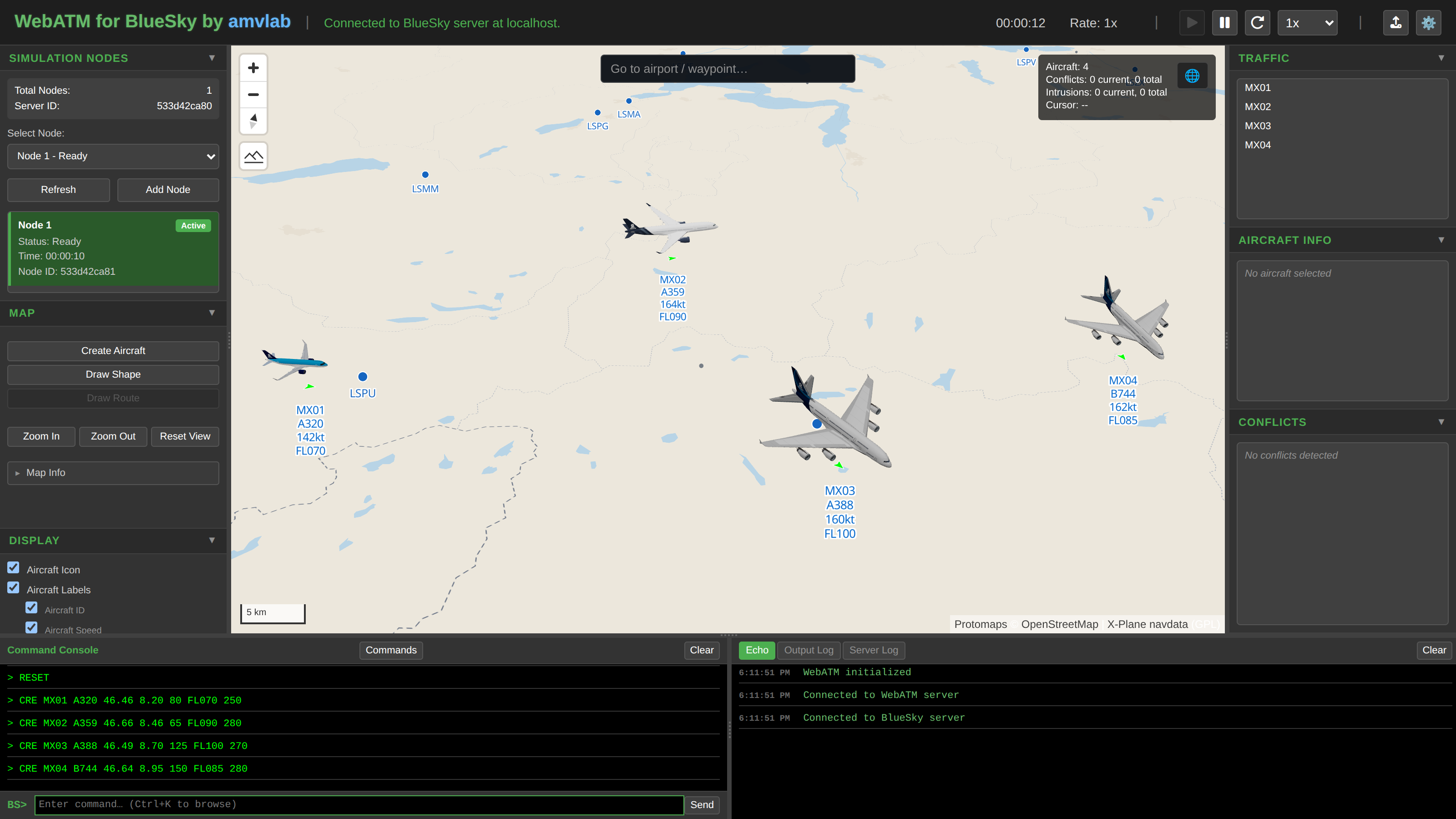
Map & visualization
- Flexible map projection — switch between standard Web Mercator and a 3D globe view, powered by MapLibre GL.
- Customizable map sources — bring your own tile sources, or use the bundled OpenFreeMap styles.
- Offline operation — fully air-gapped deployments with a local PMTiles basemap and an airport/runway/waypoint navdata overlay.
Aircraft display
- Intuitive interaction — single-click to fly to any aircraft, double-click to activate follow mode.
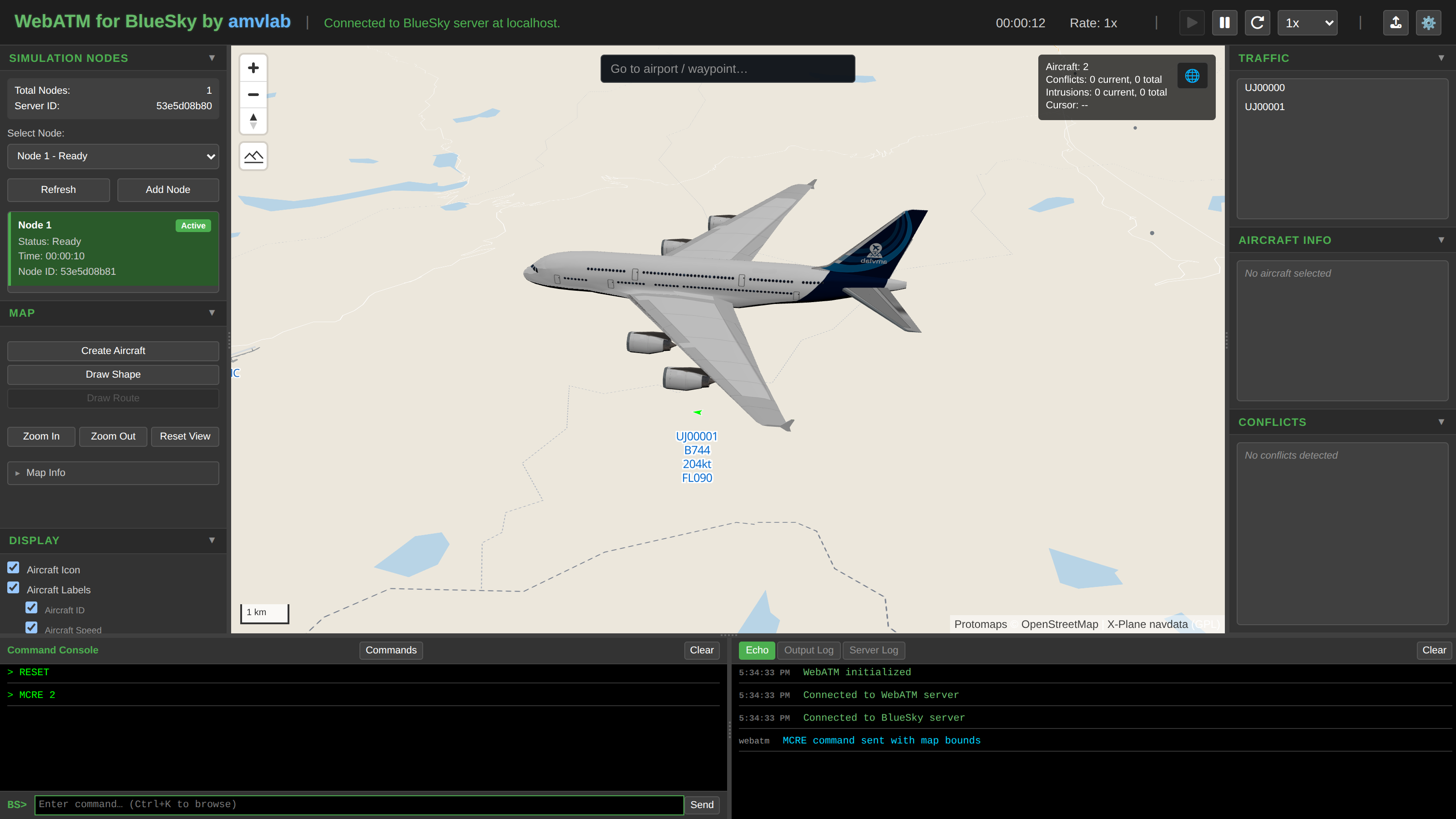
- Customizable display — toggle visibility of labels, icons, trails, routes, and shapes.
- Aircraft type in labels & info panel — view aircraft type directly on map labels and in the aircraft information panel.
- Flexible styling — choose from chevron, drone, triangle, or aircraft icon styles and customise colors.
- 3D visualization — render aircraft as 3D models (A320, A350, A380, B737, B787, EVTOL, and drone), bundled from amvlab's open-source aircraft-models collection.
Console & commands
- Smart command input — tab completion for BlueSky commands with autosuggestion.
- Command palette — quickly browse and search available BlueSky stack commands from the console.
- Console map picker — select coordinates directly from the map when entering commands.
Scenarios & simulation
- Scenario file management — upload, organize, and run BlueSky scenario
(
.scn) files and folders straight from the web interface. - Multi-node simulation — spawn and manage multiple parallel simulation nodes from one interface.
- BlueSky integration — seamless connection to BlueSky ATM simulator servers over the native BlueSky ZMQ protocol.
Architecture & deployment
- TypeScript architecture — modern, fully type-safe client-side application.
- Docker-ready — containerized deployment with Docker Compose, plus an optional integrated build that bundles the BlueSky simulator itself.
How it works
WebATM sits between your browser and a BlueSky simulation server:
- WebATM starts and (by default) auto-launches a headless BlueSky server.
- The internal proxy connects to BlueSky over ZMQ (ports 11000/11001) and subscribes to simulation data streams.
- Real-time data flows through Socket.IO to the TypeScript client, which renders it with MapLibre GL.
- User commands travel back over the WebSocket to the BlueSky server.
See the Architecture page for the full picture, and the API Reference for the documented Python modules.
Where to go next
- Getting Started — install and run WebATM locally or with Docker.
- Configuration — environment variables and network ports.
- Screenshot Gallery — the full gallery of live-traffic screenshots used throughout these docs.
License & acknowledgments
Copyright © 2025 amvlab. Licensed under the GNU Affero General Public License v3.0 (AGPL-3.0).
This software incorporates BlueSky — The Open Air Traffic Simulator technology developed by TU Delft (Delft University of Technology).